.......Altair Activate provides an open, unified platform to model, simulate, and perform optimization studies of multidisciplinary systems using 1D block diagrams. Users can obtain subsystem models for system analysis from Altair’s 3D analysis tools (such as Altair MotionSolve™ and Altair FluX™), and can also use models created with third-party tools—for example, Activate can import analysis models from Simulink.
|
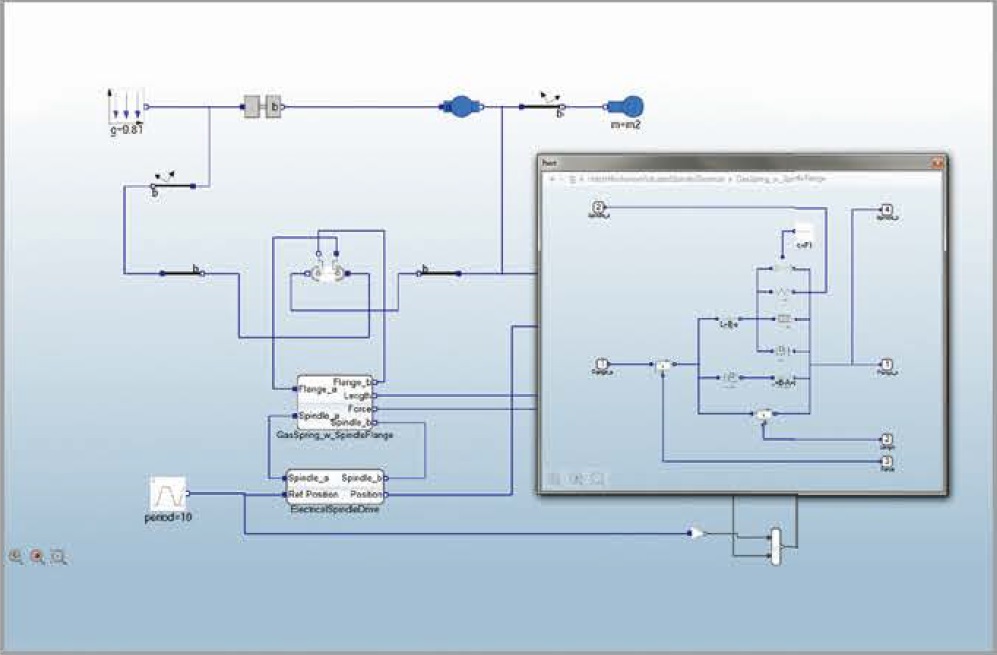
Physical component modeling of a hatch mechanism (mechanical / electrical modeling)
|
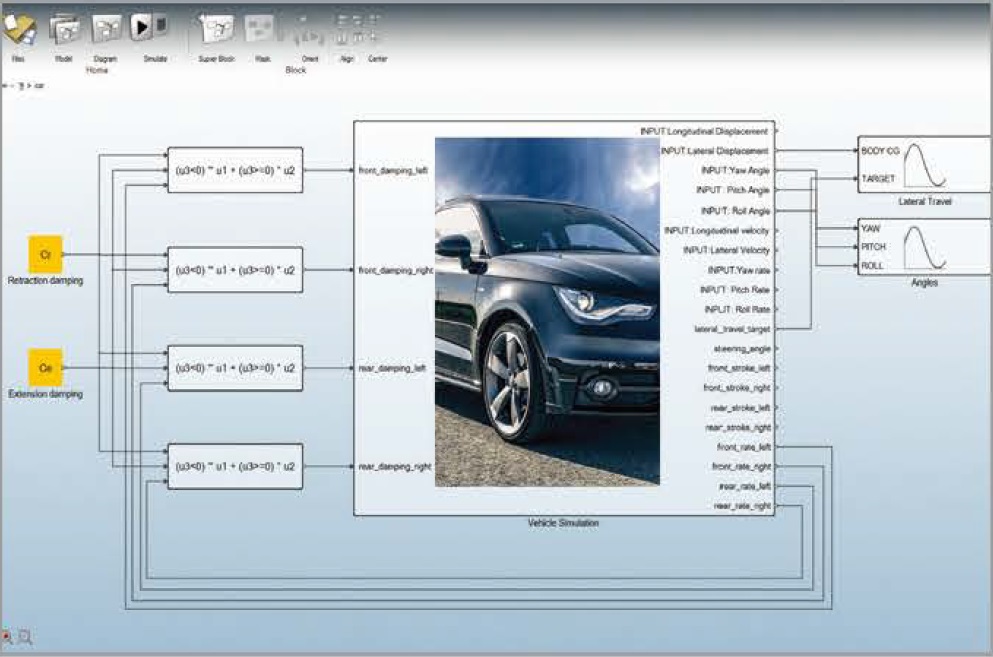
Powerful co-simulation with multibody dynamics
|
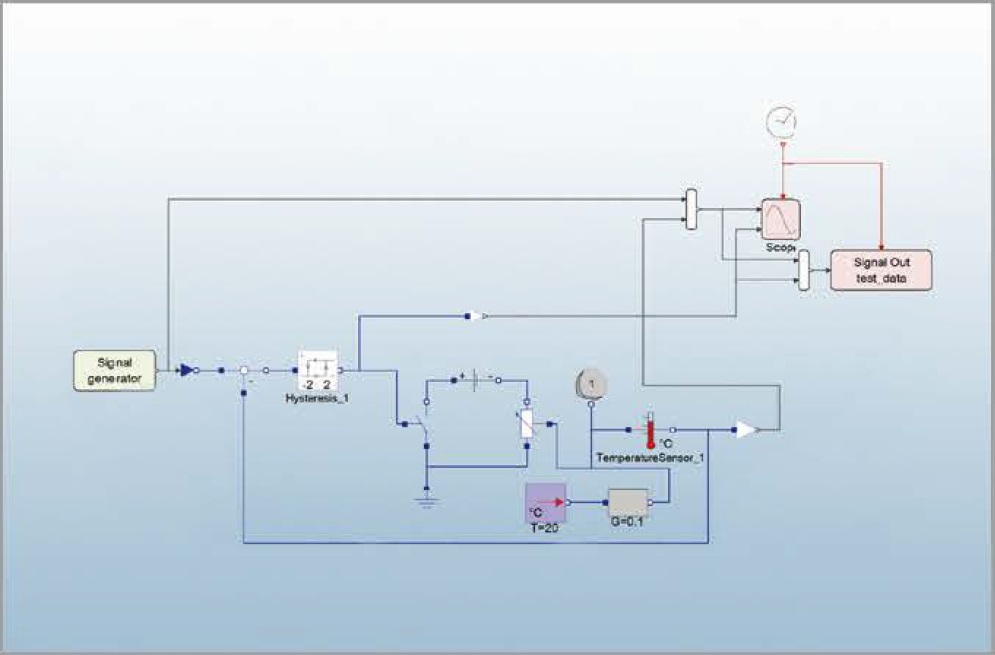
Modelica-based indoor temperature control system
|
|
【 Product Highlights 】
-
Build hierarchical and parametric models
-
Easily combine signal-based and physics-based models to build systems
-
Built-in component libraries that are easy to manage and extend
-
Model exchange and co-simulation via FMI / FMU
-
Supports multidisciplinary models, including multibody dynamics models, electromagnetic models, FEA models, CFD models, etc.
-
Allows 0D, 1D, and 3D models to be used together, applying the best approach for each subsystem
【 Advantages 】
Improve system-level performance
Use Activate to simulate and improve the dynamic behavior of any multidisciplinary system. Activate makes it easy for users to model, simulate, and validate smart systems, with built-in functions for sensors, actuators, and control from different components.
Drive model-based development
Using Activate for model-based development provides an effective way to establish a common communication framework throughout the entire design process. Running what-if analyses at the system level allows you to quickly test multiple designs and investigate the interactions among all components in the system.
Gain functional insight early
.......Activate allows users to identify system-level issues in the early stages of the design process while ensuring that all design requirements are met. Activate provides a set of standard predefined blocks that can be easily assembled into system models.
.......Activate users can further describe devices and controllers using the rich Modelica libraries of physical components.
【 Features 】
Build intuitive diagrams
-
Drag, drop, and connect blocks to quickly build models
-
Multi-window configuration with drag-and-drop and copy-paste between windows to edit diagrams
-
Supports loading multiple models in a single session
Hybrid modeling
Modeling and simulation of continuous and discrete dynamic systems
Multidisciplinary modeling
Real-world systems are inherently multi-domain. Activate allows users to model and simulate combined system behavior in real-world systems, supporting multiple domains such as mechanical, electrical, and more.
Hierarchical and parametric modeling
-
Use 1D block-diagram model libraries to build component-based, hierarchical models of real systems.
-
Mix signal-based and physics-based modeling within the same model.
-
When modeling large or complex systems, it is easy to create super blocks by encapsulating each functional block in a diagram into a single block.
-
Super blocks are modular, reusable, can be masked, and essentially behave like standard blocks, giving users more flexibility in applications.
-
Since models can be hierarchical, parameters can be defined at different levels. Activate provides an overview of all available parameter options, allowing users to navigate through the block diagram and obtain a report of all parameters known or defined at the current level.
Built-in block-based model libraries
Altair Activate comes with a rich set of predefined functional blocks. Users can also create their own custom blocks using C or mathematical scripts and save them into new or existing libraries.
Physical component modeling with Modelica and SPICE: in addition to the signal-based device models described above, Activate also includes the Modelica Standard Library (MSL), which contains devices describing electrical, electromagnetic, mechanical, and thermal behavior. Users can extend the library by defining custom Modelica models, and also define circuits using SPICE netlists.
Custom library manager
Easily build components and assemblies to create dedicated applications. Activate provides a library management tool that lets you create and edit custom libraries. It includes an integrated development environment (IDE) and offers API functions to further enhance library management and usage.
Hybrid simulator
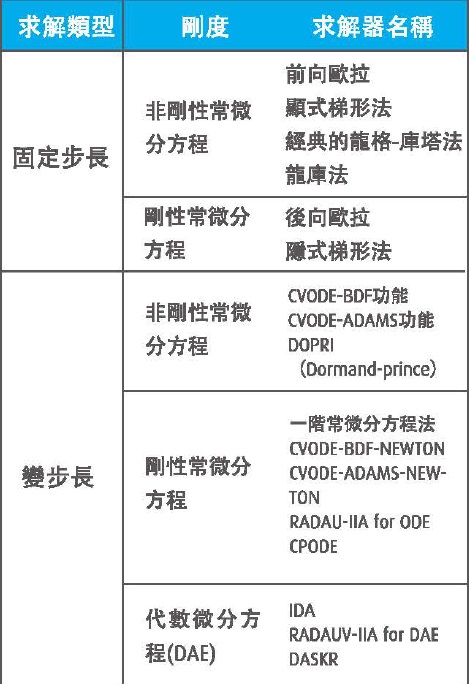
The Activate simulator provides several high-performance numerical solvers, accurately and robustly solving dynamic systems, including continuous, discrete-time, and event-based behavior.
【 Optimization 】
Optimization blocks are used to formulate optimization problems, improving system parameters and the robustness of design control strategies.
Graphical optimization tools
The simplest way to define and solve optimization problems.
Script-based optimization
A powerful mechanism for solving general optimization problems, where cost and constraints can be obtained from a combination of Activate simulation results and mathematical scripts.
BOBYQA optimization module
-
This optimization block can be used directly in the model without any external call functions or coupling.
-
Cascade multiple optimization blocks to formulate max–min or min–max problems.
-
Model exchange and co-simulation via the Functional Mock-up Interface (FMI).
Activate supports the FMI 2.0 standard, which can be used for model exchange and co-simulation in dynamic systems, including the ability to use input and output FMUs (Functional Mock-up Units).
Multibody dynamics co-simulation
The co-simulation interface allows users to simulate a complex system that includes a multibody system (MBS) and one or more control subsystems.
To efficiently simulate the entire system, the MBS is simulated using a multibody dynamics solver, while the control subsystems are simulated using Activate.
Linearization
Activate allows users to create linear models via linearization from Activate blocks.
Operating points can be computed not only from a simulation run over a given time interval, but also by computing a steady-state operating point under constraints applied to inputs, outputs, states, and state derivatives.
Compile models into executable code
Activate supports code generation for system performance and IP protection.
Richin Tech is the "expert in CAE and AI data analytics", and we have completed many successful case studies.
▶ Contact us now to get more information.
▶ Subscribe to the Richin YouTube channel to explore more about CAE and data analytics.



