Introduction
Author: Richin Technology Tim
As product design cycles continue to accelerate, CAE software must also become smarter and more automated. HyperWorks 2025 introduces a range of innovative features and strengthens the application of PhysicsAI, giving engineers faster and more accurate prediction and optimization capabilities.
This article will highlight key upgrades across modules such as HyperMesh, HyperView, and OptiStruct, and explain how PhysicsAI has evolved from Graph Convolutional Neural Simulator (GCNS) to a Transformer-based architecture (TNS), showcasing its application through a robotic arm case study.
【 HyperWorks 2025 Key New Feature Highlights 】
HyperMesh 2025 Sync Design Changes and Quickly Rebuild Models
The new Model Update feature allows engineers to avoid rebuilding from scratch when CAD changes occur. The system automatically tracks changes and updates only the affected areas, while preserving existing meshes and boundary conditions. (Figure 1)
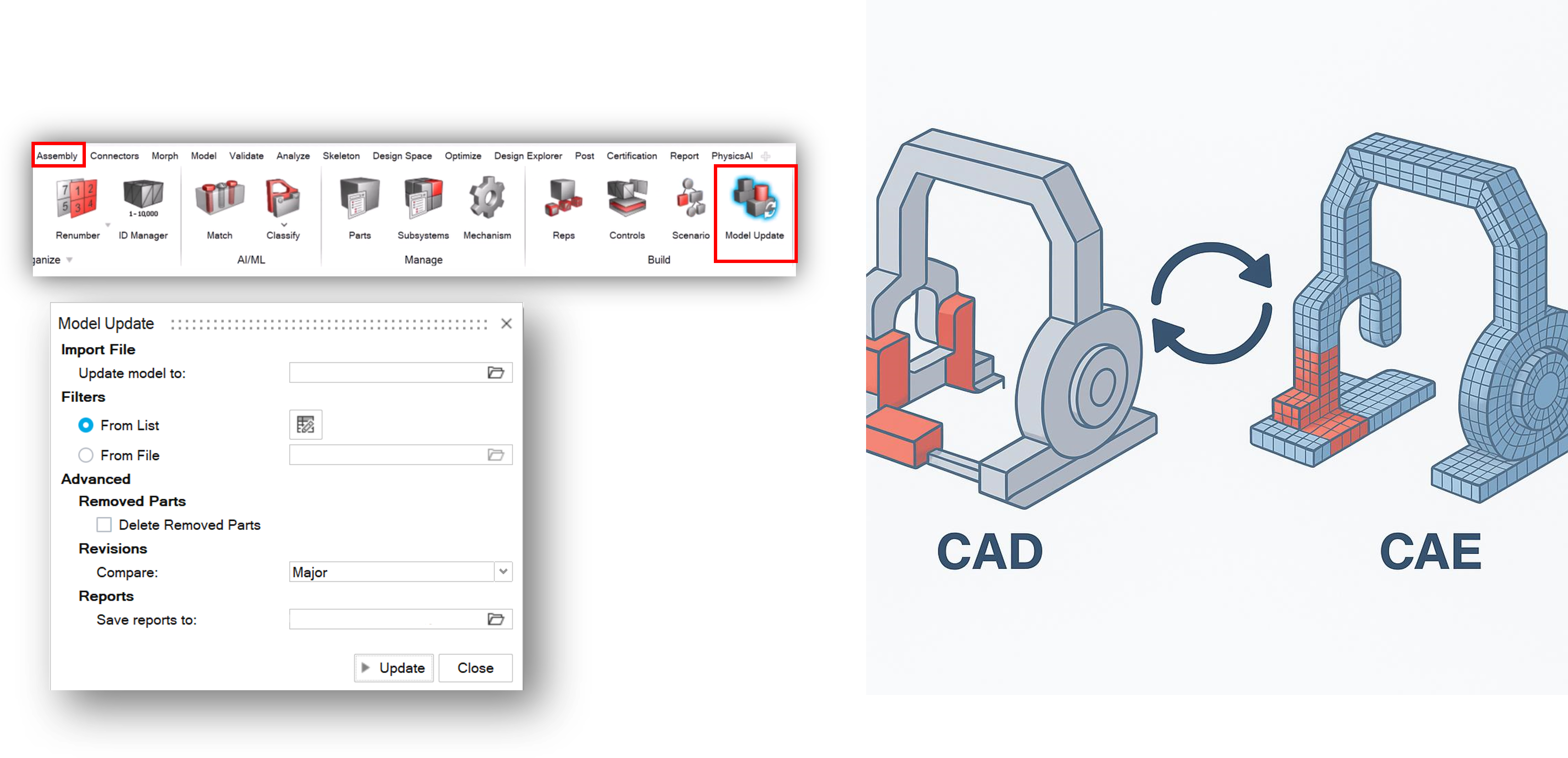
Figure 1, Model Update
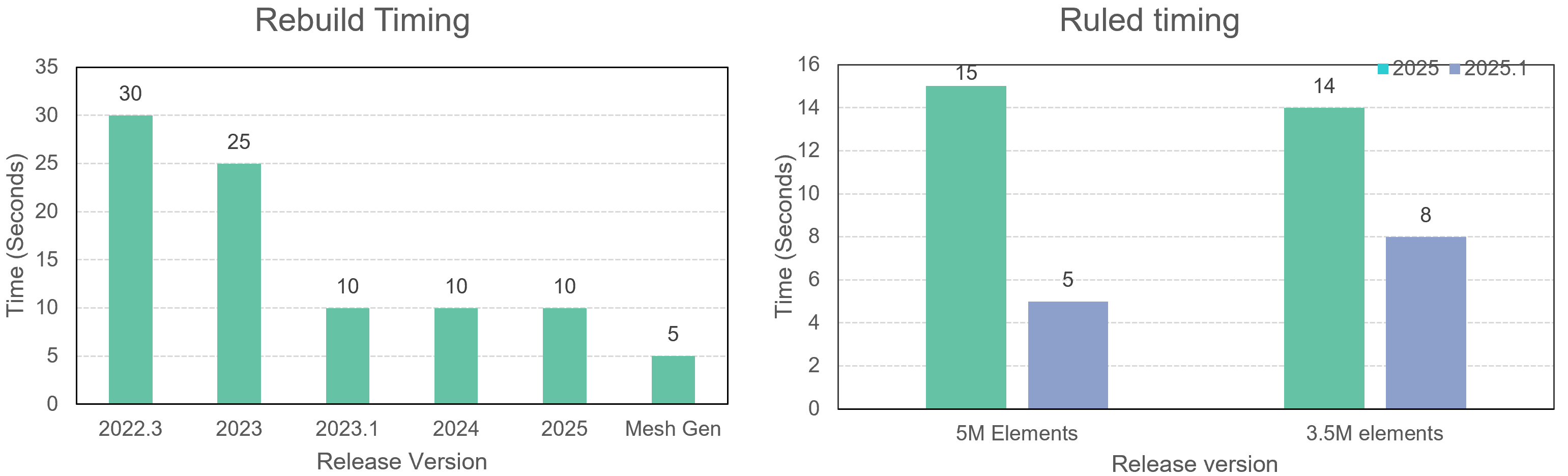
Figure 2, Rebuild Timing
HyperView 2025 Supports 3D Sharing and Web Display
Provides export to HTML and GLB (GLTF) formats, with support for animations, sections, annotations, and query tools. (Figure 3)
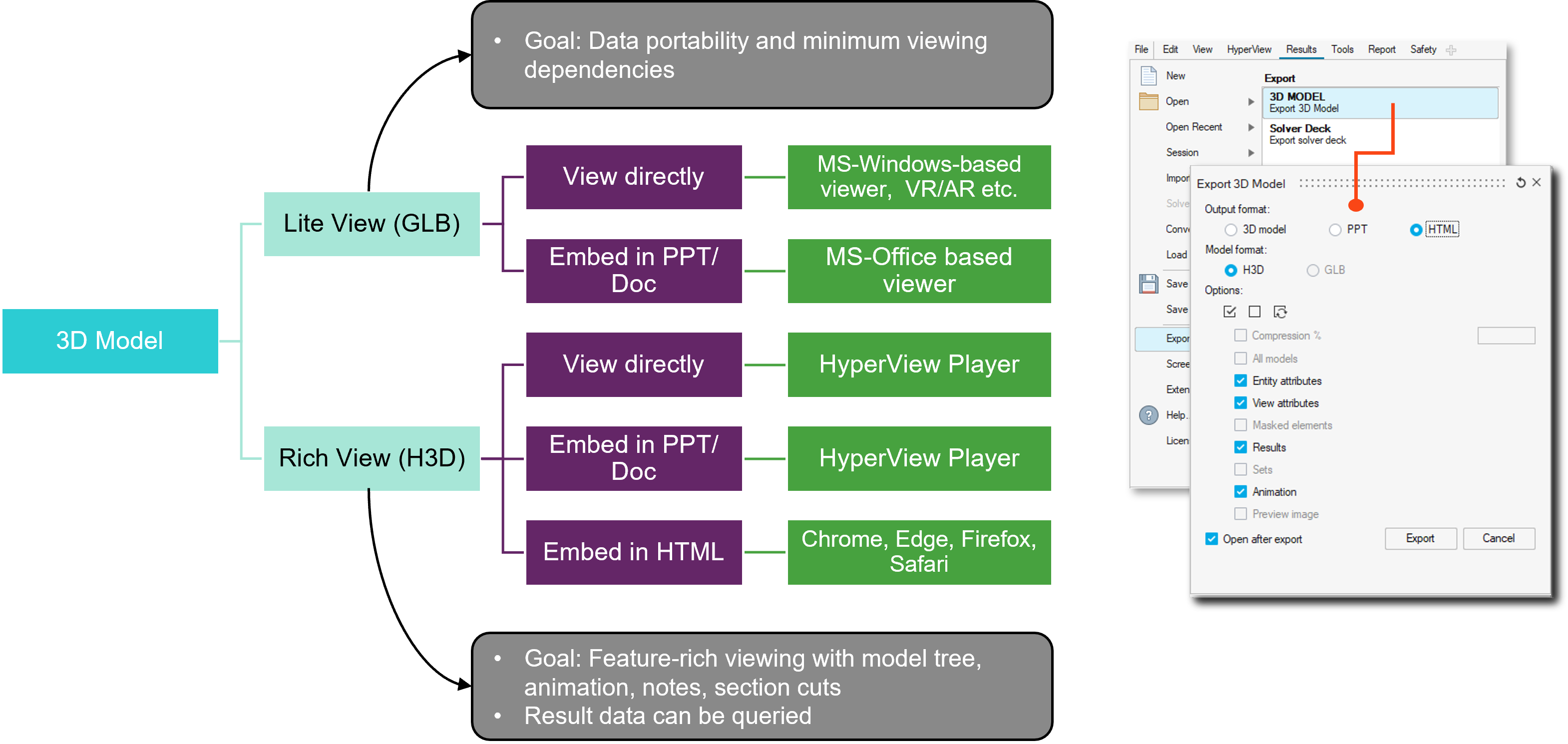
Figure 3, post-processing support
OptiStruct Comprehensive Multiphysics Integration
OptiStruct integrates explicit and implicit contact, thermo-electro-mechanical coupled analysis, and equivalent circuit model (ECM) battery modeling.
Coverage includes:
-
Linear/nonlinear static, dynamic, and heat transfer analysis
-
Pretension and drop tests
-
Electrostatic Subcase analysis, enabling electrostatic forces to be applied as loads
-
Implicit Auto-contact (Beta)
-
Supported in implicit nonlinear analysis (NLSTAT / NL-Transient)
-
Uses the same Bulk Data format as explicit auto-contact (Explicit Auto-contact)
-
Use ACTIVA and DEACTIVA commands to flexibly enable or disable specific contact surfaces. (GIF 1)
GIF 1, Implicit Auto-contact (Beta)
AI Products and Python SDK Support
Provides a Python SDK integrating AI Studio and AI Hub, enabling automated training and prediction workflows to improve CAE + AI integration efficiency. (Figure 4)
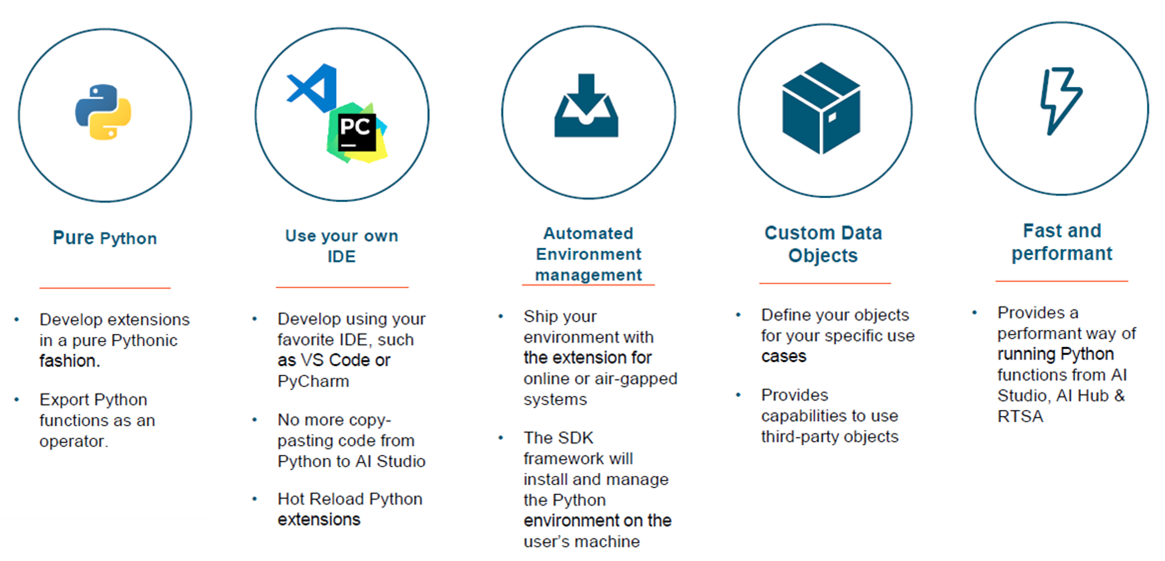
Figure 4, Python-related feature highlights and notes
【 PhysicsAI Technology Evolution and Applications 】
Technical Characteristics of the Three Core Architectures
|
Architecture Name
|
Release Version
|
Technical Basis
|
Runtime Platform Performance
|
Prediction Type
|
Key Notes
|
|
GCNS Graph Context Neural Simulator
|
The only option prior to 2024.1
|
Graph-based
|
⚡ High CPU efficiency
|
Supports vector
and field predictions
|
Traditional architecture, suitable for small to mid-scale tasks
|
|
TNS Transformer Neural Simulator
|
Available starting from 2025.0
|
Transformer / Attention
|
⚡ Strong GPU-accelerated performance
|
Supports point-cloud input and field predictions
|
Handles larger models with more parameters
|
|
SER Shape Encoding Regressor
|
Available starting from 2025.1
|
Shape-encoding regression
|
⚡ Fastest runtime speed
|
Only supports KPI/curve prediction; no field output
|
Fastest but more limited; best for KPI regression analysis
|
Automatic Mesh Alignment and Mesh Invariance
The Auto Mesh Alignment feature can translate all meshes to align at the centroid, helping improve generalization and enabling cross-model prediction.
Real-World Application: Robot Arm Prediction and Automated Output
Demonstrates the application of PhysicsAI in a Robot Arm drop test:
-
Supports faceless rigid-body input
-
Batch-generate HTML/H3D animated reports
-
TNS generates smooth stress fields (GIF 2)
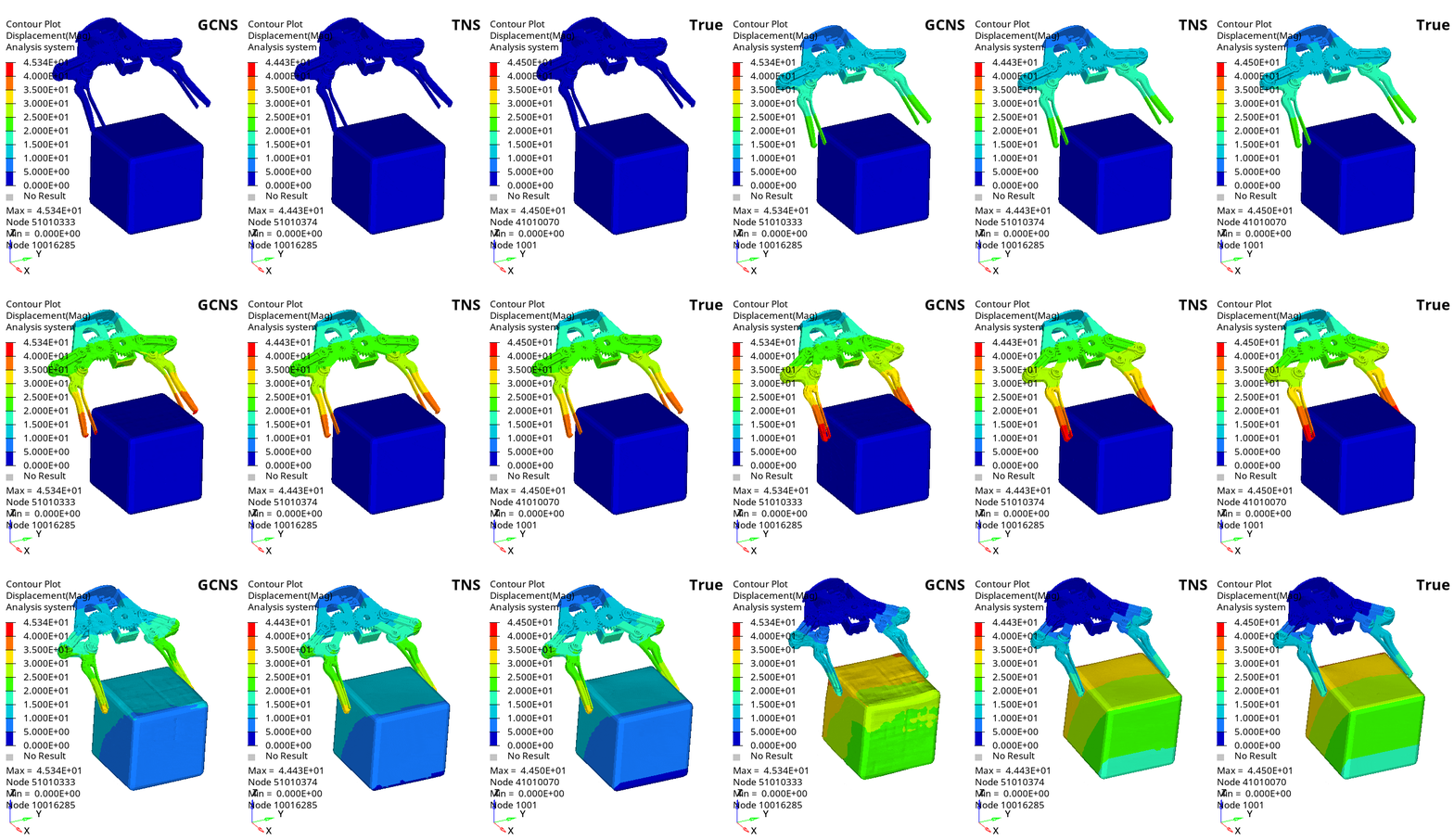
GIF 2, Robot arm stress field results
【 Conclusion and Future Outlook 】
Altair HyperWorks 2025 not only strengthens traditional CAE workflows, but also enters a new era of AI-assisted design through PhysicsAI. Looking ahead, it is expected to further combine design optimization and automation to enable autonomous design and validation workflows.
Richin Technology is “an expert in CAE and AI data analytics,” and we have completed many successful case studies.
▶ Contact us now Contact Us to get more information.
▶ Subscribe Richin YouTube Channel to explore more CAE and data analytics.