Introduction
Author: Richin Technology Tim
In Inspire Motion 2025.1, there are major updates to both the “design workflow” and the “feature tiers”:
- It mainly moves from the three-stage flow of “early concept → loads/stress → final evaluation,” and expands with two user configurations: “Motion Designer / Motion Analyst.”
- Key capabilities such as Bushing, Eigenanalysis, and Flex Bodies have been consolidated into Analyst.
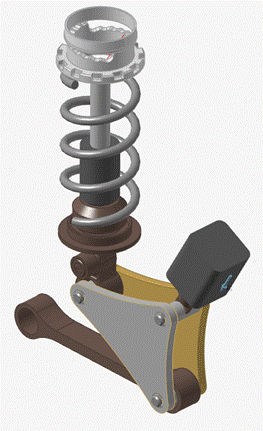
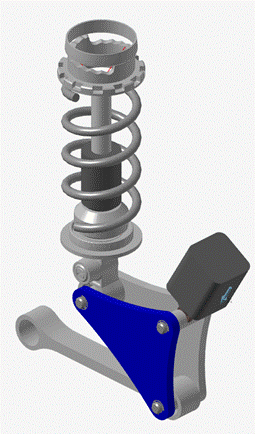
- For Analyze Part, the existing inertia relief workflow has been replaced with an “implicit flex body” motion solution to improve both “accuracy” and “speed.”
Dual Configurations (Designer/Analyst)
Designer:Continues the existing Inspire Motion operating logic. Connections are defined via CAD geometry to quickly evaluate current design performance. (GIF 1)
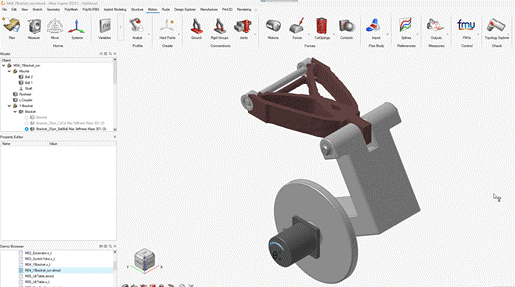
Analyst:Uses hard points as the core, along with simplified “mechanism construction from geometry” and “conceptual design,” making it easier to rapidly iterate the design space early in development. (GIF 2)
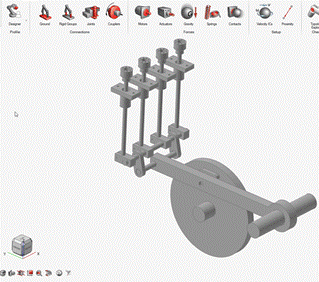
GIF 1, Joint Feature Demo in Designer Mode
|
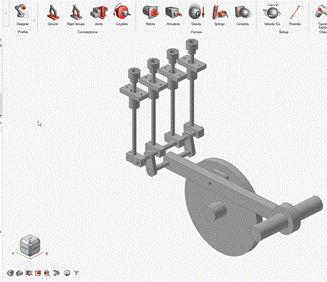
GIF 2, Joint Feature Demo in Analyst Mode
|
Bushing
Bushing: Supports both “linear/nonlinear” settings and “paired configuration,” which helps ensure model consistency. (Note: Figure 1 can be inserted here.)
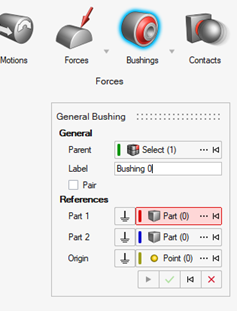
Figure 1, Bushing GUIInterface
Eigenanalysis
Eigenanalysis: Available in Motion Run Settings, bringing modal-related analysis closer to the motion-solver workflow. (Note: Figure 2 can be inserted here.)
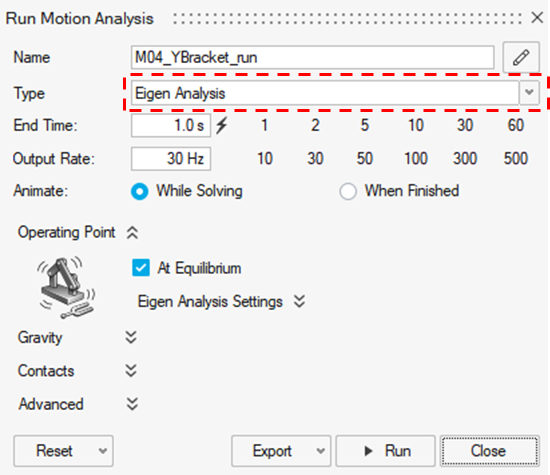
Figure 2, Eigenanalysis Location
Flex Bodies
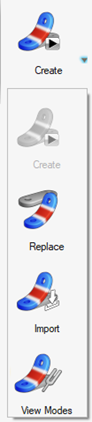
- Replace: Replace any rigid body with an H3D flexible body while automatically preserving its joints and motion components.
- Import: After importing an H3D, hard points are automatically created at each interface node, allowing direct association with joints/motion components. (GIF 3)
- View Modes: Provides dedicated entry points for viewing mode shapes. (Note: Figure 3 can be inserted here.)
|
Figure 3, Flex Bodies Drop-down Menu
|
GIF 3, Import Demo
|
Analyze Part (Designer) Revision Highlights
- New version: Create an implicit flex body → run the full analysis → go directly to result viewing. (GIF 5)
- Old version: Apply inertia relief on a rigid body and apply a motion load step (Load Step).
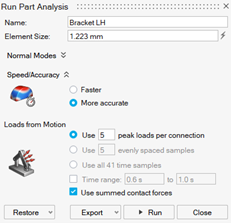
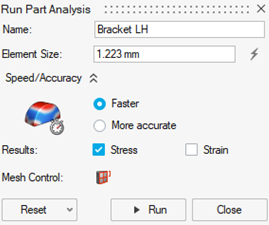
- Impact: “Improved accuracy and speed”; contour results change from “discrete” to “continuous.” (Note: Figures 4–5 and GIFs 4–5 can be inserted here.)
|
Figure 4, Analyze Part 2024.1 GUI
|
Figure 5, Analyze Part 2025.1 GUI
|
|
GIF 4, Analyze Part 2024.1 contour
|
GIF 5, Analyze Part 2025.1 contour
|
Inspire Structure Enhancements
- Run Management: Optimized creation/editing for multiple analysis types, and results can be displayed “directly” in the model browser. (Note: Figure 6-1 can be inserted here.)
- The model browser supports viewing Info details, suppress/unsuppress. (Note: Figures 6-2 and 6-3 can be inserted here.)
- SimSolid: Enhanced progress display, and supports self-contact and default auto-contact settings.
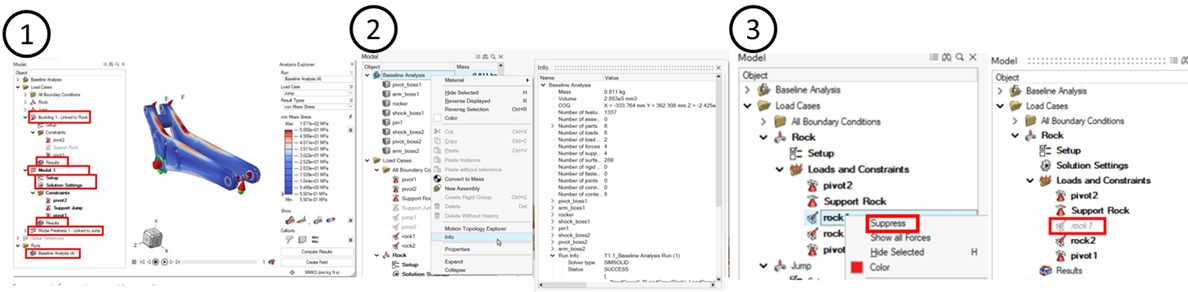
Figure 6, Inspire Structure Feature Comparison
Conclusion
- With the dual configurations of Motion Designer/Motion Analyst, Inspire Motion 2025.1 can cover both existing design work and concept development.
- Switching configurations via the Ribbon reduces learning and context-switching costs.
- Consolidating key capabilities into “Analyst: Bushing, Eigenanalysis” and centralized “Flex Bodies” makes the transition from concept to implementation smoother.
- “Analyze Part” adopts an implicit flex-body motion solution, which is more advantageous than the old method in both accuracy and efficiency.